.jpg "Our Heritage Journal")
.jpg)
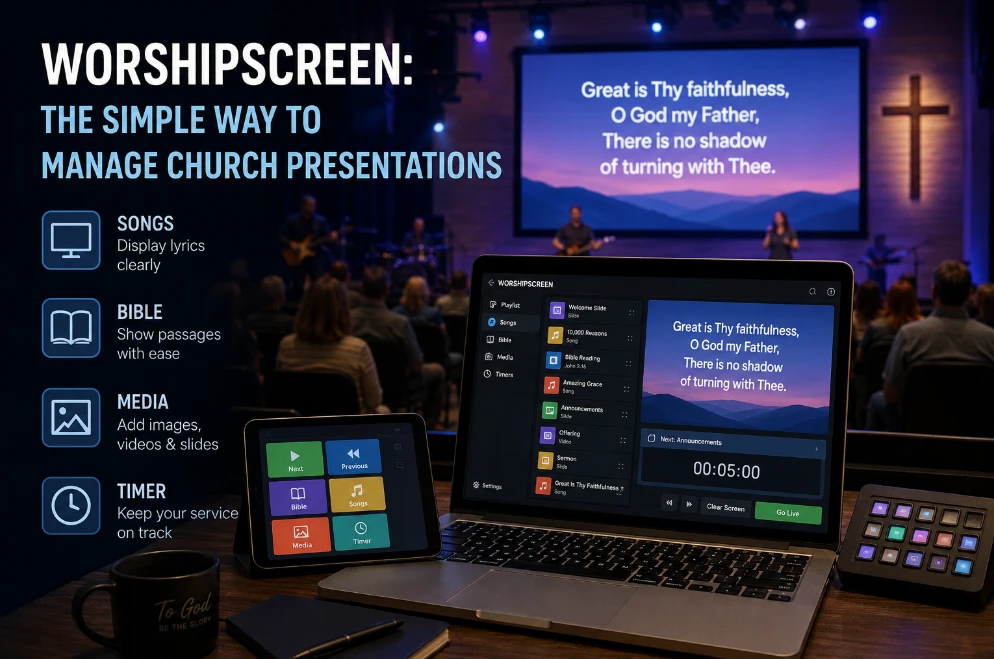
Why Churches Are Switching to Simpler Worship Presentation Software
Running worship lyrics, Bible verses, sermon slides, announcements, and other Sunday content should not require a complicated technical setup. Yet many churches still rely on a combination of separate files, presentation programs, browser tabs, folders, and manual copying.
The result is often the same: too much preparation, too many opportunities for mistakes, and volunteers spending more time managing technology than supporting the service.
Modern worship presentation software can simplify this process by bringing essential church presentation tasks into a more organized workflow. The goal is not to add technology. It is to remove unnecessary steps.
The Problem With a Fragmented Church Presentation Setup
Consider a typical Sunday service.
The worship leader sends song lyrics in one document. The pastor sends Bible references in another message. Sermon slides arrive as a PowerPoint file. Announcements are stored as image files. A video is sitting on someone's laptop.
The media volunteer has to collect everything, check it, format it, and somehow make it work together.
This process can function for a while, especially in a small church. But as the number of services, volunteers, songs, screens, and media elements increases, the workflow becomes harder to manage.
A church presentation system should make these recurring tasks easier rather than forcing volunteers to repeat the same manual work every week.
What Churches Actually Need From Presentation Software
A useful platform should solve practical Sunday problems.
Churches typically need an efficient way to manage:
Worship lyrics
Bible verses
Sermon content
Announcements
Images
Videos
Service sequences
Multiple presentation elements
The most important feature is not the number of options displayed on a product page.
It is whether a volunteer can open the service, understand what happens next, and present the correct content without unnecessary technical steps.
One Workflow for Worship and Scripture
Worship lyrics and Bible passages are different types of content, but they often appear within the same service.
Switching between unrelated applications can slow down the operator.
A more integrated approach allows the media team to prepare songs, Scripture, and other service elements as parts of one presentation workflow.
This is where church presentation software such as WorshipScreen can become useful for churches that want to reduce the number of separate tools involved in Sunday presentation.
Instead of constantly moving content between applications, volunteers can work with the service as a single organized presentation.
Make Sunday Preparation Faster
One of the strongest reasons to improve presentation software is preparation time.
Imagine preparing a worship set manually:
Find the lyrics.
Copy them into slides.
Format the text.
Create additional slides for long sections.
Check the song order.
Repeat the process for every song.
Prepare Bible passages separately.
Add sermon content.
Test everything.
The same process repeated every week can consume a significant amount of volunteer time.
A better system should automate or simplify repetitive tasks while still allowing the media team to make manual adjustments when necessary.
This is particularly valuable for churches where volunteers have limited time during the week.
Make Worship Lyrics Easier to Manage
Worship lyrics are one of the most frequently updated parts of a Sunday presentation.
A song may have multiple verses, repeated choruses, bridges, and special arrangements.
The presentation operator needs to know exactly what will happen during the service.
Good software should make it straightforward to organize songs and adjust their order.
If the worship leader decides to repeat a bridge, the operator should be able to return to that section quickly rather than searching through a large collection of slides.
This is one of the situations where dedicated worship presentation software can provide a practical advantage over a collection of manually prepared slide files.
Keep Bible Presentation Readable
Bible verses should not simply be copied onto a screen.
Long passages need appropriate formatting, readable typography, and logical division.
A good presentation workflow makes Scripture preparation less repetitive while giving the media team control over how the congregation sees the text.
The operator should be able to locate the correct passage quickly and display it without interrupting the sermon.
For churches that regularly use Scripture during preaching, Bible presentation should be treated as a core part of the Sunday workflow rather than an afterthought.
Reduce the Training Burden for Volunteers
Church media teams often depend on people who are not professional technicians.
A complicated interface creates a training problem.
If every new volunteer needs extensive instruction before they can operate the presentation safely, the church becomes dependent on a small group of experienced operators.
Simple software changes that equation.
A volunteer should be able to understand the basic workflow quickly:
Open the service → select the content → display it → move forward or backward → handle changes.
Advanced features can be available when needed, but everyday tasks should remain straightforward.
Build the Service Before Sunday
The real advantage of a modern presentation workflow appears before the service starts.
Instead of assembling everything while people are entering the church, the media team can prepare the complete service in advance.
For example:
Wednesday: collect songs and sermon references.
Thursday: prepare lyrics and Bible content.
Friday: organize the service.
Saturday: review and test.
Sunday: operate the finished presentation.
This approach changes the role of the Sunday operator.
Instead of being a person who creates the presentation under pressure, the operator becomes someone who confidently runs a prepared service.
Handle Last-Minute Changes Without Starting Over
Church services are rarely completely predictable.
A pastor may add a Scripture passage. A worship leader may change the order of songs. An announcement may be removed.
Good presentation software should allow these changes without forcing the team to rebuild everything.
This is another reason to avoid relying exclusively on static slide files.
A live presentation environment gives the operator more flexibility to respond to changes while keeping the rest of the service organized.
Make the Presentation Look Professional Without a Designer
Not every church has a graphic designer available every week.
Volunteers still need to create slides that are readable and visually consistent.
Templates and reusable presentation styles can help.
The media team can establish standards for:
Typography
Text size
Backgrounds
Alignment
Bible references
Song titles
Announcements
Once these standards are built into the workflow, volunteers do not have to make every design decision from scratch.
The result is a more consistent church presentation with less manual effort.
A Better Fit for Small Churches
Small churches sometimes assume that presentation software is mainly useful for large congregations with dedicated media departments.
In reality, simplicity can be even more valuable for a small church.
A team of two or three volunteers has less time to manage complicated technical systems.
A streamlined workflow can help a small church handle worship lyrics, Bible verses, and sermon content without requiring a large production team.
The objective is not to create a broadcast studio.
It is to make Sunday presentation reliable and manageable with the people and equipment the church already has.
Test the Workflow Before Committing
Before adopting any new presentation platform, test it with a real service.
Do not evaluate it only by looking at screenshots or feature lists.
Prepare an actual Sunday service containing:
Several worship songs
A long Bible passage
Sermon slides
An announcement
A video if relevant
Then give the system to the person who normally operates the service.
Ask whether the workflow feels easier.
Can they find content quickly?
Can they change the order?
Can they recover from an error?
Can another volunteer learn the basics without extensive training?
These practical questions are more useful than simply counting features.
When Better Presentation Software Makes a Real Difference
The right software will not replace good preparation, communication, or rehearsal.
It can, however, remove repetitive technical work that consumes volunteer time.
A church that moves from disconnected files and applications to a structured presentation workflow can gain several practical benefits:
Faster service preparation
More consistent worship slides
Easier Bible presentation
Simpler volunteer training
Faster live navigation
Fewer manual formatting tasks
Better control over Sunday content
The goal is not to make church services look more technological. It is to make the technology less noticeable.
When worship lyrics appear at the right moment, Scripture is easy to read, sermon slides are ready, and volunteers can operate the service confidently, the congregation can focus on worship and teaching rather than what is happening behind the screen.
